Why Your Cart Total Balloons Right Before You Hit 'Buy'
You did everything right. You comparison-shopped. You waited for a sale. You added exactly what you needed to your cart and felt genuinely good about the number you saw. Then you hit checkout — and somehow, by the time the confirmation screen loads, you've spent $30 more than you intended. Sound familiar?
This isn't a glitch. It's a system. Retailers have spent serious money engineering those final checkout steps to squeeze every last dollar out of you right at the moment when you're most committed to completing the purchase. Let's break down exactly how it works — and what you can do about it.
The Commitment Trap Is Already Sprung
Here's the psychological reality of checkout: by the time you click 'proceed to payment,' your brain has already decided you're buying. Behavioral economists call this the sunk cost effect of intention — you've mentally spent the money, chosen the items, maybe even imagined using them. That mental investment makes you far less likely to abandon the purchase, even when the price creeps up.
Retailers know this. It's why the pricing surprises don't show up on the product page. They show up on step three of five, when backing out feels like losing something you already had.
The Fee Avalanche: Where Your Money Actually Goes
Let's talk about the charges that appear out of nowhere in the final stretch.
Processing fees are showing up more and more across retail, ticketing, and even food delivery platforms. They're technically disclosed — usually in small print — but they're structured to appear only after you've entered your shipping info. A $2–$5 processing fee on a $40 order is a 5–12% price hike that never appeared in any of your comparison shopping.
Shipping cost bait-and-switch is another classic. Many sites advertise free shipping prominently, but that offer only kicks in above a certain cart threshold — one that's often just slightly higher than what you're spending. The checkout page helpfully suggests you're 'only $8 away from free shipping,' nudging you to add another item you didn't plan on.
Dynamic pricing adjustments are more subtle and more disturbing. Some platforms actually adjust item prices based on your behavior, device, location, or browsing history. If you've visited a product page multiple times, some retailers interpret that as strong purchase intent — and prices can quietly tick upward. It's not universal, but it happens, especially on travel booking platforms and some third-party marketplace sellers.
The Upsell Gauntlet
Between your cart and your payment confirmation, most major retailers run you through a series of add-on offers. These aren't random — they're specifically calibrated to your purchase.
- Warranty or protection plan prompts appear right before payment, framed as a 'last chance' to protect your investment. We've covered why these are almost always a bad deal in a previous ShopSpark piece — the short version is that manufacturers' warranties typically cover what actually goes wrong, and the markup on protection plans is enormous.
- 'Customers also bought' add-ons at checkout are priced low enough to feel trivial — a $6 accessory, a $4 add-on pack. But they're positioned here because retailers know you're in spending mode. These micro-purchases add up fast.
- Subscription upgrade prompts are increasingly common. Amazon does this with Prime, DoorDash does it with DashPass, and dozens of other platforms will ask if you want to 'unlock savings' by signing up for a monthly membership right as you're about to pay.
Tactics That Actually Work
Knowing the tricks is half the battle. Here's how to fight back in real time.
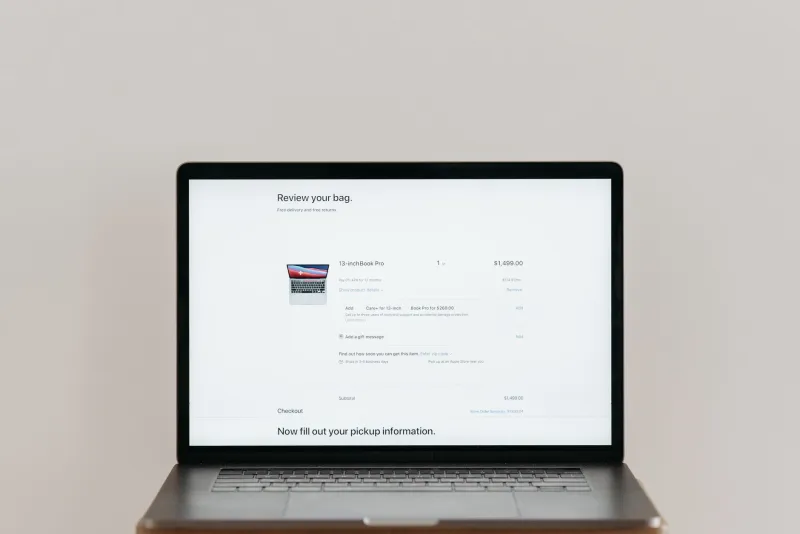
Screenshot your cart before checkout. Seriously — take a quick screenshot of your cart total before you hit 'proceed.' Then compare it to the final order summary. Any discrepancy is worth investigating before you confirm.
Use incognito mode or a different browser. If you're worried about dynamic pricing based on your browsing history, open a fresh private browsing window and search for the same items from scratch. If the price is different, you've caught the system in the act.
Read the order summary line by line. It sounds tedious, but every charge on that final screen should make sense to you. If you see a line item you don't recognize — a 'service fee,' a 'convenience charge,' a 'fulfillment surcharge' — look it up before confirming. Many of these are removable or at least negotiable via chat support.
Abandon the cart and wait. This one feels counterintuitive, but if you close the browser and come back in 24 hours, a significant number of retailers will email you a discount code to complete the purchase. That 'abandoned cart' email you've probably received? It exists because it works — and it can work for you.
Use a virtual card with a spending cap. Services like Privacy.com let you create single-use or merchant-specific virtual debit card numbers with a set spending limit. If a retailer tries to charge you more than your intended amount, the transaction simply won't go through — giving you a moment to pause and investigate.
The Bigger Picture
Checkout friction used to be something retailers wanted to minimize. Now, many have realized that a little friction — in the form of upsells, prompts, and fee reveals — is actually profitable, as long as it comes after you've committed to buying. The checkout funnel has quietly transformed from a convenience into a revenue tool.
That doesn't mean you're powerless. It means you need to treat those final steps with the same skepticism you'd apply to a street vendor adding 'handling charges' after you've already handed over your cash. Slow down, read the screen, and remember: you haven't actually bought anything until you've clicked confirm.
Your wallet will thank you for the extra 90 seconds.